


Leads – Scouting and Pipeline Management
Application Leads (Un-Owned Accounts) are accounts created and managed by an admin before transferring ownership to the actual user.
This feature allows you to evaluate prospective companies through a funnel without their knowledge, giving you full control of the application process until you decide to transfer ownership.
Where can I create a new application lead?
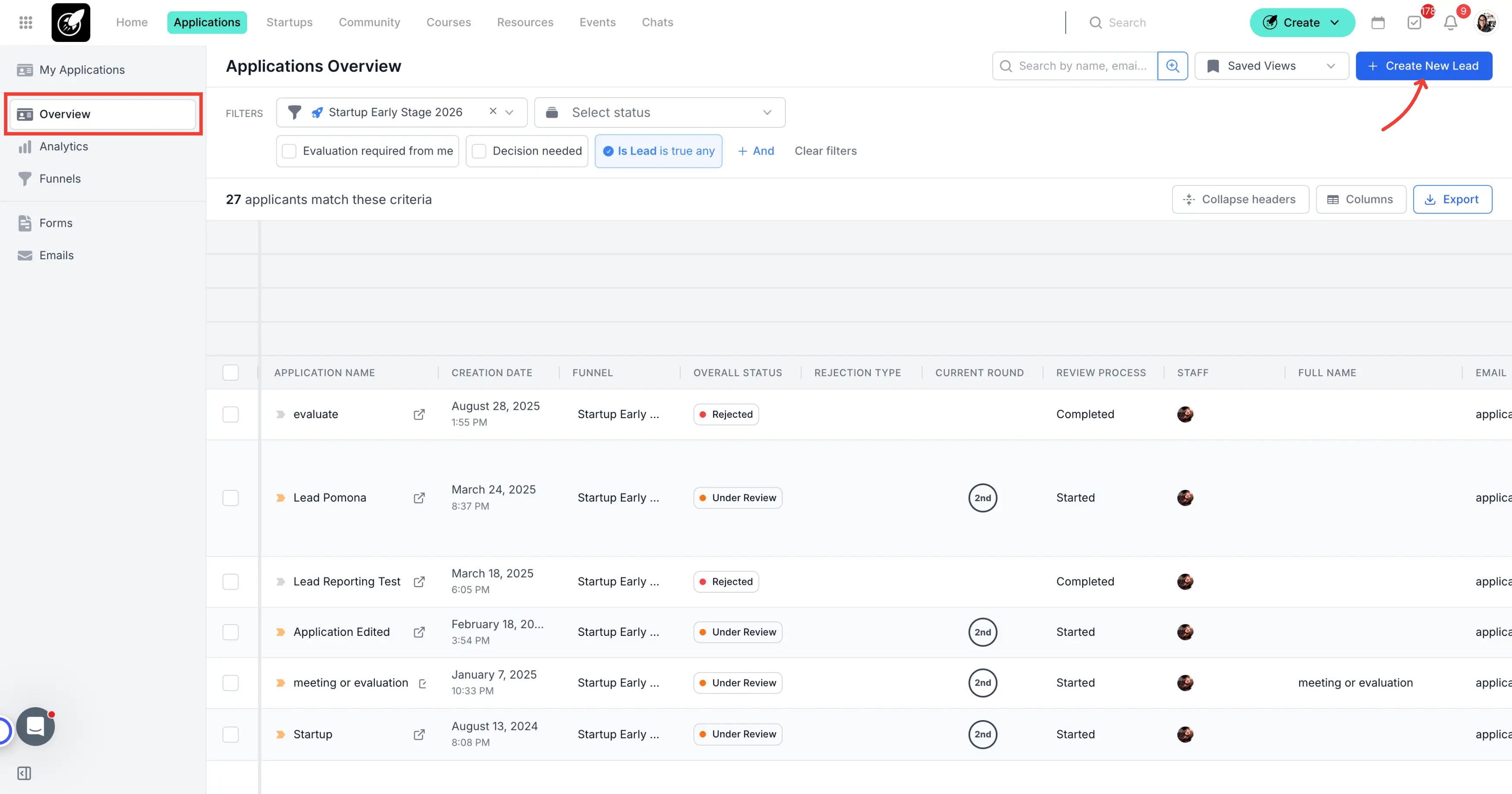
Navigate to the Application Overview page.
You’ll find the “Create New Lead” button in the upper right corner of the table.
Step-by-Step Actions
Click the Create New Lead button in the top-right corner.
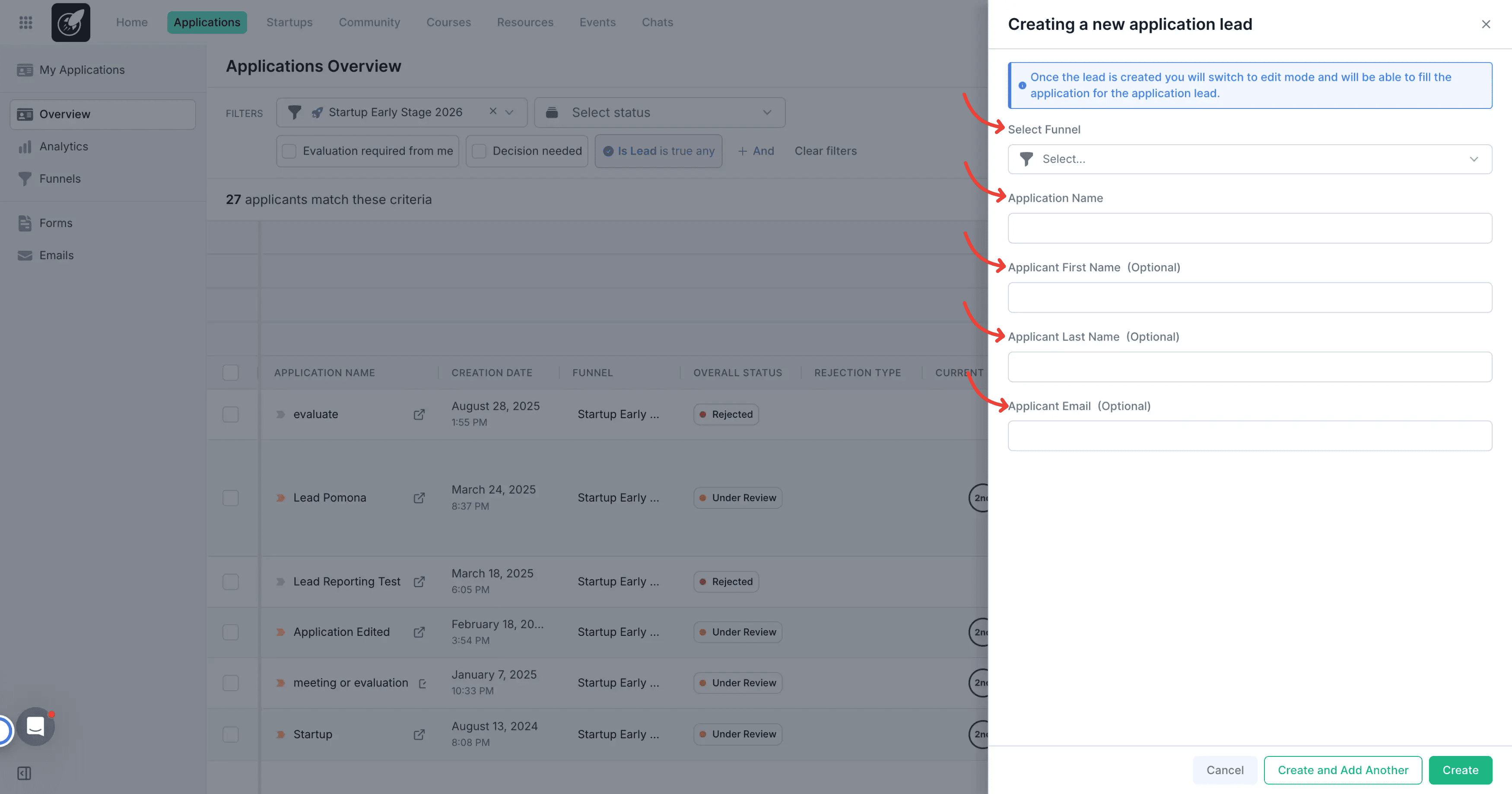
In the modal that appears, select:
- The funnel you want to use.
- A name for the application.
- Applicant First Name, Applicant Last Name, Applicant Email (optional).
Click Save to create the Lead.
4 . Access the Application File
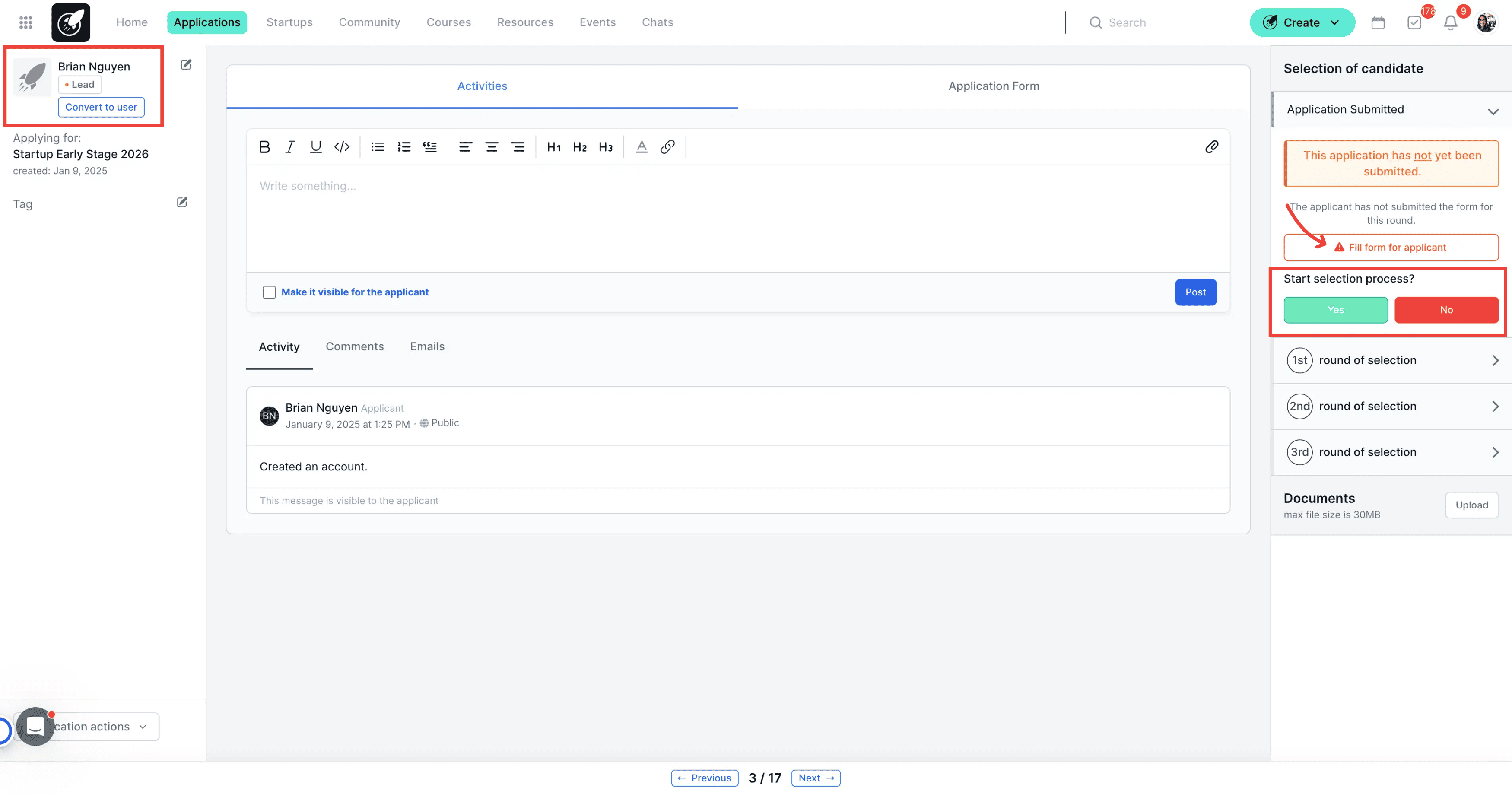
- Open the Lead’s application file from the list.
- Click the red button labeled “Fill Out Form for Applicant”.
This allows you to complete the application on behalf of the prospect, as if they were submitting it themselves.
The Lead will move through the funnel’s evaluation process, but you will manage the account until ownership is transferred.
5 . Transferring Ownership
- From the application file view, click the Convert to User button in the top right corner.
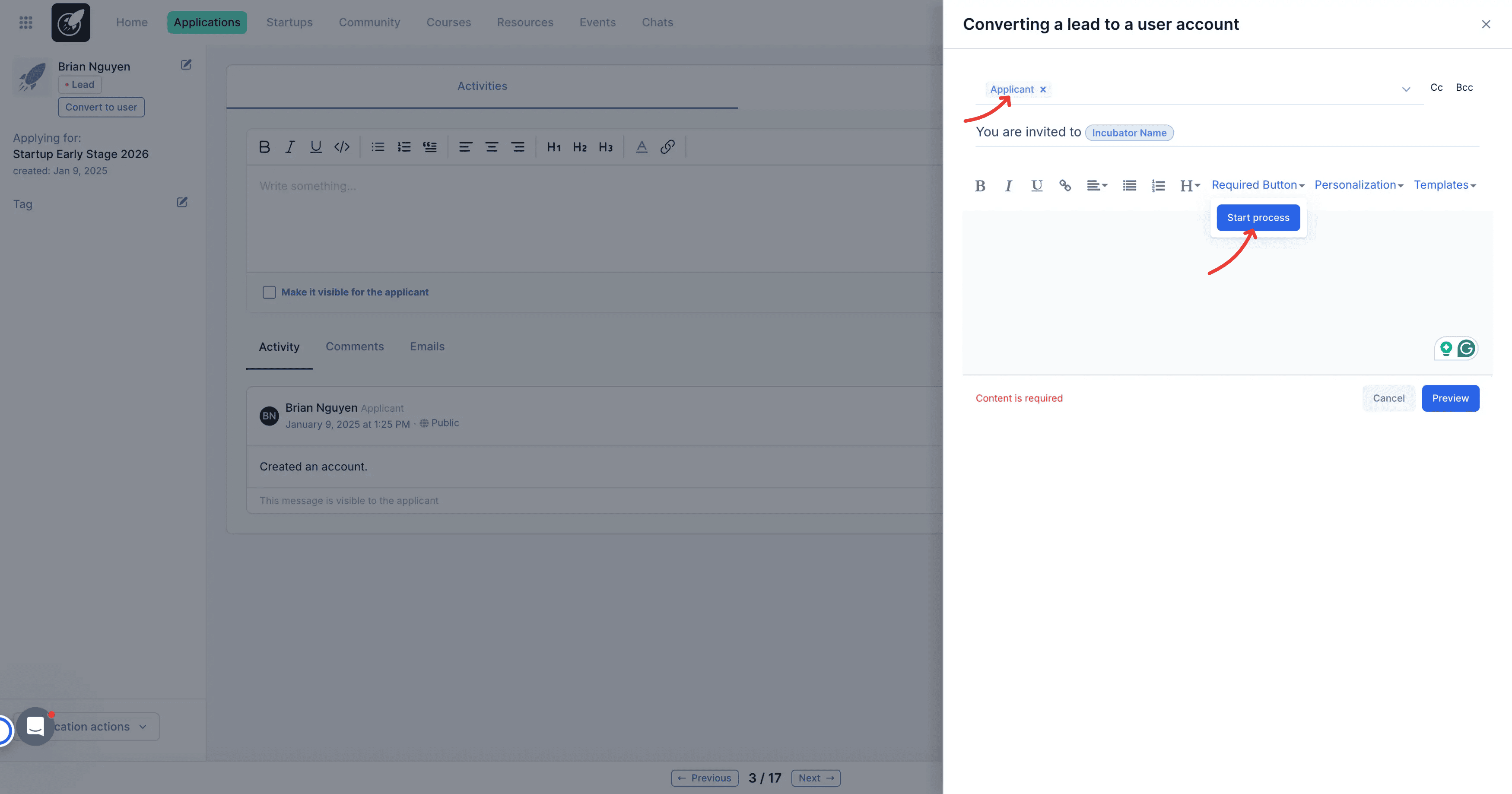
- Enter the full name and email of the person who will take ownership of the account.
- Click Transfer, then compose the invitation email.
Important: Make sure to include the Start Process button in the email.
When the recipient clicks Start Process, they’ll be taken to a welcome page where they can:
- Confirm or edit their name and email
- Set their password
This completes the transfer of account ownership.
Tips & Best Practices
- Use the Fill Out Form for Applicant button to pre-fill applications before transferring ownership.
- Double-check the email invitation before sending to ensure the Start Process button is included.